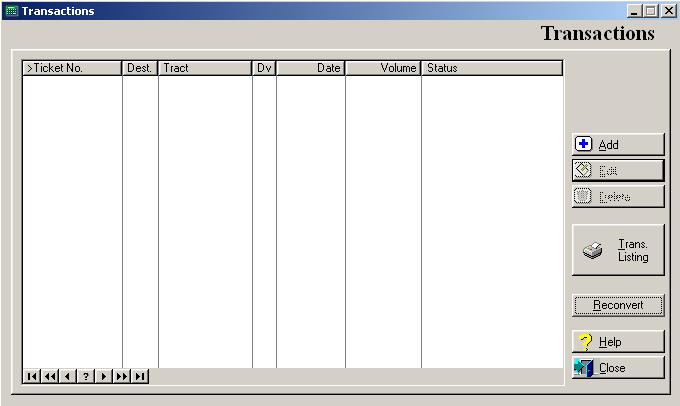
Use this option to add or edit transactions in the external interface file.
To access the Transactions window, select the menu option entitled Transactions on the External Tickets Processing menu.
The system will display the Transactions list window as shown below:
Transaction Listing
To print a listing of the external transactions, click on the Transaction Listing button, or press “Alt T”.
Reconvert
This option will reconvert only those transactions showing an error. To reconvert error transactions, click on the Reconvert button, or press “Alt R”. The system will display the Reconvert window as shown below:
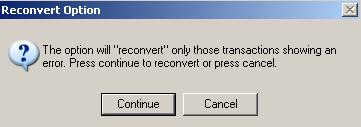
To continue reconverting, click on the Continue button. To cancel this process, click the Cancel button.
To exit the Transactions list window, click on Close button, press “Alt C”, or press the Esc key.
Transactions Maintenance
To add a transaction, click on the Add button, press “Alt A”, or press the Insert key.
To edit an existing transaction, highlight the transaction, press Enter, click on the Edit button, press “Alt E”.
To delete a transaction, highlight the transaction, click on the Delete button, press “Alt D”.
During the add of a new transaction, the system prompts you for the destination as shown below:
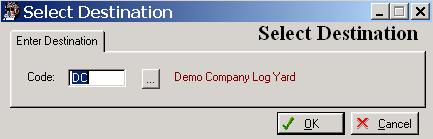
Enter the destination where the load will be delivered. To display a selection list of valid destinations, press the Enter key, or click on the Lookup button.
To save and exit the Select Destination window, press Page Down, click on the OK button, or press “Alt O”. To exit without saving the Select Destination window, click on the Cancel button, press “Alt C”, press Esc, or click on the “X” in the upper right corner of the screen.
The system then prompts you for the load date as shown below:
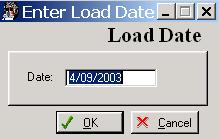
Enter the Load Date when the load was delivered to the mill.
To save and exit the Load Date window, press Page Down, click on the OK button, or press “Alt O”. To exit without saving the Load Date window, click on the Cancel button, press “Alt C”, press Esc, or click on the “X” in the upper right corner of the screen.