The user would only execute this option with the assistance of Automated Accounting Systems, Inc. This option removes general ledger history transaction by accounting periods. To access the Purge History window, select the menu option entitled Purge History on the General Ledger Utilities Menu.
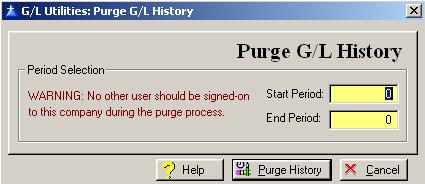
The Purge History window will be displayed as follows:
Enter or edit the information on the Purge G/L History window according to the following specifications:
Start Period
Enter the beginning General Ledger Accounting Period that you want to purge history.
End Period
Enter the ending General Ledger Accounting Period that you want to purge history.
To access online help, click on the Help button, press “Alt H”, or press F1.
To purge history and exit the Purge G/L History window, press Page Down, click on the Purge History button, or press “Alt P”. To exit without purging history, click on the Cancel button, press “Alt C”, press Esc, or click on the “X” in the upper right corner of the window.
Move History to Transactions Export to Open Accounts G/L